【App Inventor 2 教學 範例 2018 】
【App Inventor 2 初學者 範例 2018 】
【App Inventor 2 基礎 範例 2018 】
【App Inventor 2 中階 範例 2018 】
【MIT App Inventor 2 (AI2)入門練習】
各種聲音音效
http://www.mcjh.kl.edu.tw/usr/wdh/techedu/wavsound/index.html
ex1.您好喵咪 P01_HelloPurr
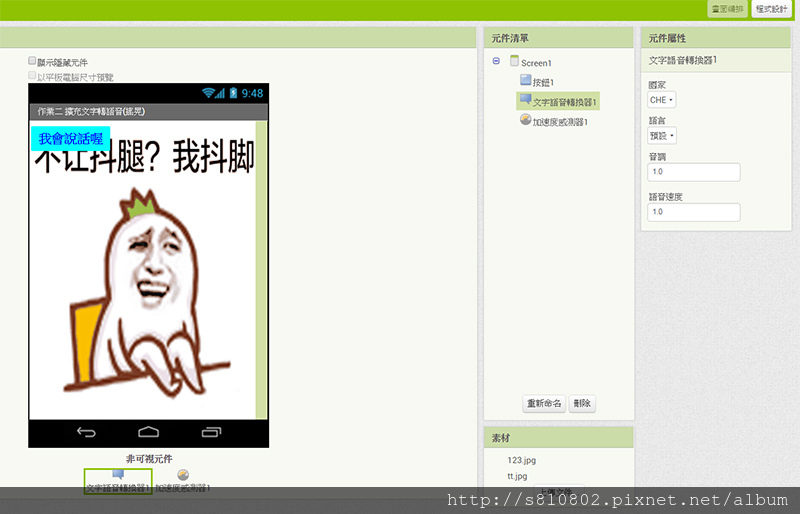
【App Inventor 2 初學者 範例 2018 】BE02 擴充文字轉語音(搖晃) Extended TalkToMe : Shake! (BE02_2018)
畫面編排:
程式設計:
執行畫面:
【MIT App Inventor 2(AI2)Intermediate範例】ex11. I11_Photo Booth App
版面安排:
方塊圖:
輸出:
掃描QRCODE安裝到你的Android中

【Smart Apps Creator入門(2014)】
http://www.i-software.com.tw/iscltw/product_SAC.html
下載測試檔
RealTestTW-release.apk
教學資源

【MIT App Inventor 2 (AI2)入門練習】ex12.野生動物秀P12_WildLifeShow
版面安排:
素材:
Elephant.png
【MIT App Inventor 2(AI2)Advanced範例】ex07 A07_Oh My Spikes
版面安排:
方塊圖:
輸出:
掃描QRCODE安裝到你的Android中
【MIT App Inventor 2(AI2)Advanced範例】ex06 A06_Exploring with Location Sensor in AI2
版面安排:
方塊圖:
輸出:
掃描QRCODE安裝到你的Android中
【MIT App Inventor 2(AI2)Intermediate範例】ex10. I10_Sharing Component: send files and text with the app of your choice
版面安排:
方塊圖:
輸出:
【MIT App Inventor 2(AI2)Intermediate範例】ex8. I08_No Text While Driving for AI2
版面安排:
方塊圖:
輸出:
